


BLOG
Inspire 2026 recap: Get your context right, and the rest gets easier

Manish Rai
Vice President, Product Marketing
If you lead technology at a law firm or legal department, you know how this year has gone.
A partner wants to try a new AI tool this week. Another will ask next week. Your managing partner wants an AI strategy. And nearly every new tool starts with the same request: upload your documents. Before long, you’re governing the same content in many places.
That’s where our Chief Executive Officer, Josh Baxter, opened Inspire in Orlando, Florida on Oct. 19-21. Over three days, I put that problem to a lot of customers. Almost all of them recognized it, and we kept landing on the same answer: get your context right first, and the rest gets easier.
Monday: Context is the answer
Josh’s point was simple. AI tools will keep changing. Your organization’s knowledge keeps growing in value: every document, every precedent, every position taken and won. Once that knowledge and expertise is connected and governed, it becomes the brain of your legal tech stack, and every AI tool you connect works better for it.
We bet on this early. We went all in on large language models when ChatGPT first came out, long before everyone was talking about context. That’s why we were the first vendor to introduce a Legal Context Graph, and it’s already making a significant impact at customer sites in private preview.
Scott Kelly, our Vice President of Product Management, put numbers behind it with our Legal Context Engineering Benchmark. His team kept the model, the AI tool and the questions the same, and changed only the context. On a top-tier model, building context once cut the cost of each correct answer in half, with no loss in quality. For an organization of 2,000 professionals, that’s nearly $1 million a year.
That raised the question every IT leader asks next: how do the AI tools your lawyers use actually reach that context? Through MCP, an open standard for connecting AI tools to the systems where your work lives.
Alex Schnepf of Harvey and Phil Tow of OpenAI joined me on stage to show what that looks like.
Alex explained that when NetDocuments has already classified and enriched the documents and delivers context via MCP, Harvey knows what to look for, so lawyers search less and get better answers faster.
Phil said OpenAI’s strategy in legal is to bring its models to a firm’s knowledge where it already lives. With the right context up front, ChatGPT doesn’t spend time and tokens rebuilding the matter, and that matters more as demand for AI keeps climbing.
For the security and risk leaders in the room, governance was the point. Every request through our MCP connection runs under the lawyer’s own NetDocuments access. Your permissions, ethical walls, and AI exclusion policies all apply, and every request leaves an audit trail. You govern your content once, in your system of record, and those controls carry into the AI tools you choose. That’s how you say yes to the next AI request without giving up control.
What it looks like in practice
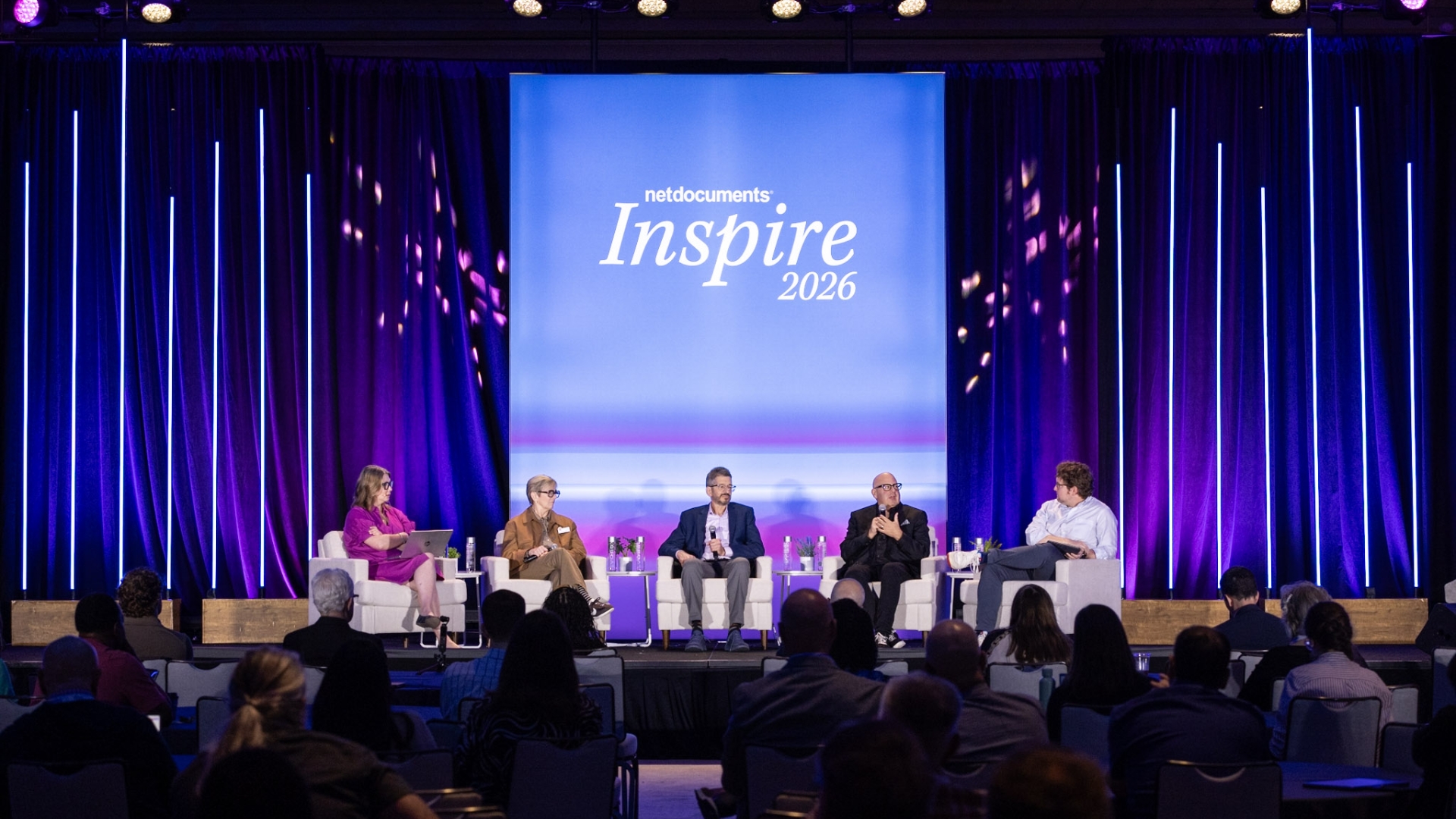
Customers showed what this means day to day in a panel on building an AI-ready legal organization, moderated by Heath Harris, our Vice President of Applied AI and Enterprise Transformation. Vincent Colavita and Neethi Jois of Akin said that once AI classifies documents, extracts key metadata and connects the people, parties, and matters behind them, finding the right document becomes an order of magnitude easier. So does getting up to speed on a new matter. Their advice: start with proof of value. One use case from a partner can send adoption soaring.
Melissa Bailey, a partner at Brooks Pierce, said lawyers range from eager to opposed, so her firm formed a committee on the duties of competence and confidentiality. NetDocuments’ train-the-trainer program made the biggest difference, she said, because people adopt on different timelines. Allison Loseke of Kutak Rock called NetDocuments a safe space for colleagues to try AI.
Kathleen Hogan, our Director of Legal Services and a former practicing attorney, shared what she’s seeing as customers put AI profiling and context to work, and how she’s helping lawyers adopt AI to become more productive.
Tuesday: Meeting lawyers where they work
Context only pays off if people use it. Dan Hauck, our Chief Product Officer, opened day two there. We’ve reimagined the NetDocuments experience based on thousands of conversations with end users, so it feels intuitive from the first click and consistent across the web, our Microsoft 365 add-ins, and the mobile app.
That includes the AI tools lawyers choose. Gabriel Quek of Legora joined Dan to show Legora’s new MCP connection to NetDocuments. A lawyer describes the task in Legora, and the right precedent and matter history come to them, with NetDocuments permissions deciding what each person can see.
Then Nate Ruiz, Senior Director of Product, demoed the reimagined home page, favorites, recents, and left menu. When he showed dark mode, the room broke into applause. Someone near me said he buried the lede.
Kathleen closed the day with a trends panel on the human side of AI. Christian Lang of BARBRI said the skills lawyers need are going to change, and organizations should plan for it now. Judi Flournoy of ILTA called AI her “thinking partner,” a phrase I plan to borrow.
Wednesday: The foundation, and what we’re building on it
Everything above depends on what sits underneath. John Motz, our Chief Technology Officer, made the case that innovating at the speed of AI takes the right foundation. Our partnership with Amazon Web Services and our move to AWS are delivering significantly better performance, resilience in every region, and security in depth. Pallavi Nargund of AWS shared how our teams built AI search and context at legal scale together, where every result has to respect the permissions on every document.
Mike Sanders, NetDocuments Director of Solutions Experts, then showed what we’re building on that foundation: better AI search, drafting and editing inside the assistant, tabular review, playbooks, and more.
What the press heard
We ended the week by handing the microphone to the people who cover this industry: a panel of eight legal tech journalists and analysts, joined by Dan Hauck and moderated by ILTA’s Joy Heath Rush.
Joy set the scene with ILTA’s 2026 Technology Survey: large firms now use about nine AI tools, and smaller firms four to six. That’s the problem Josh opened with, in numbers.
Stephen Embry of Above the Law had called Inspire “not a rock concert” before the week began. On the panel, he said it delivered practical sessions and guidance, and compared us to Bruce Springsteen rather than Yungblud. I’ll take it.
Niki Black of 8am said she mostly hears word salad at conferences, and that Inspire was a practical, use-case event. And Brad Blickstein of the Blickstein Group was blunt: don’t wait for outside legal engineers to arrive, because they mostly don’t exist. Retrain the talented people you already have.
What I’m taking home from Inspire 2026
Brad also told a story that got one of the biggest reactions of the week. An in-house legal team had been paying outside counsel about $1,500 per document for one type of work. They built an AI workflow in-house at the cost of about $3 per document. But they admitted that if their outside counsel had offered to do the work at $500 a document, they would have happily paid it and not looked at using AI to solve for this work.
That’s how fast the economics of legal work are moving. The organizations ready for it have done three things.
- They organized their knowledge.
- They governed it once.
- And they gave their people a reason to use it.
The tools will keep changing. That foundation keeps paying off.
If you missed Orlando, start with the Legal Context Engineering Benchmark, and talk to your account team about connecting the AI tools you already use through MCP.
Customer awards celebrate innovative work
We also celebrated the winners of the 2026 Inspire Customer Awards. These awards recognize extraordinary NetDocuments customers for displaying excellence in their utilization of technology to create a better way to work.
Congratulations to all of this year’s winners who demonstrated outstanding customer knowledge, experience, innovation, and passion.
- Davis Wright Tremaine
- Rosenblum Goldenhersh, P.C.
- Fleischner Potash LLP
- Dorsey
- City of Phoenix Law Department
- Chiode Minicucci Advogados | Littler
- Akin
Join us at the next Inspire
We’re bringing Inspire to two more cities in just a few weeks. Inspire EMEA takes place Nov. 4 at Convene 155 Bishopsgate in London. Inspire APAC takes place Nov. 17 at Amora Jamison in Sydney. You can also save your spot for Inspire 2027 now to get an exclusive promo code when registration opens. We’ll be at the JW Marriott Hill Country Resort in San Antonio, Texas, Oct. 25-27, 2027. See you there!
#NDInspire
Share
See what else is new in these blogs:
-

- Blog
Beyond the AI Use Case List: Start With the Problem
Everything you need to work on a matter, right at your…
-

- Blog
Stop comparing legal documents by hand: Six new ndMAX Studio apps
Everything you need to work on a matter, right at your…
-

- Blog
NetDocuments connects organizational legal knowledge to Microsoft Copilot through MCP
Everything you need to work on a matter, right at your…
-

- Blog
Practice Management System or Document Management System: What’s the Difference, and Do Law Firms Need Both
Everything you need to work on a matter, right at your…