


NETDOCUMENTS TABULAR REVIEW
Get structured answers from thousands of documents in minutes with NetDocuments tabular review.
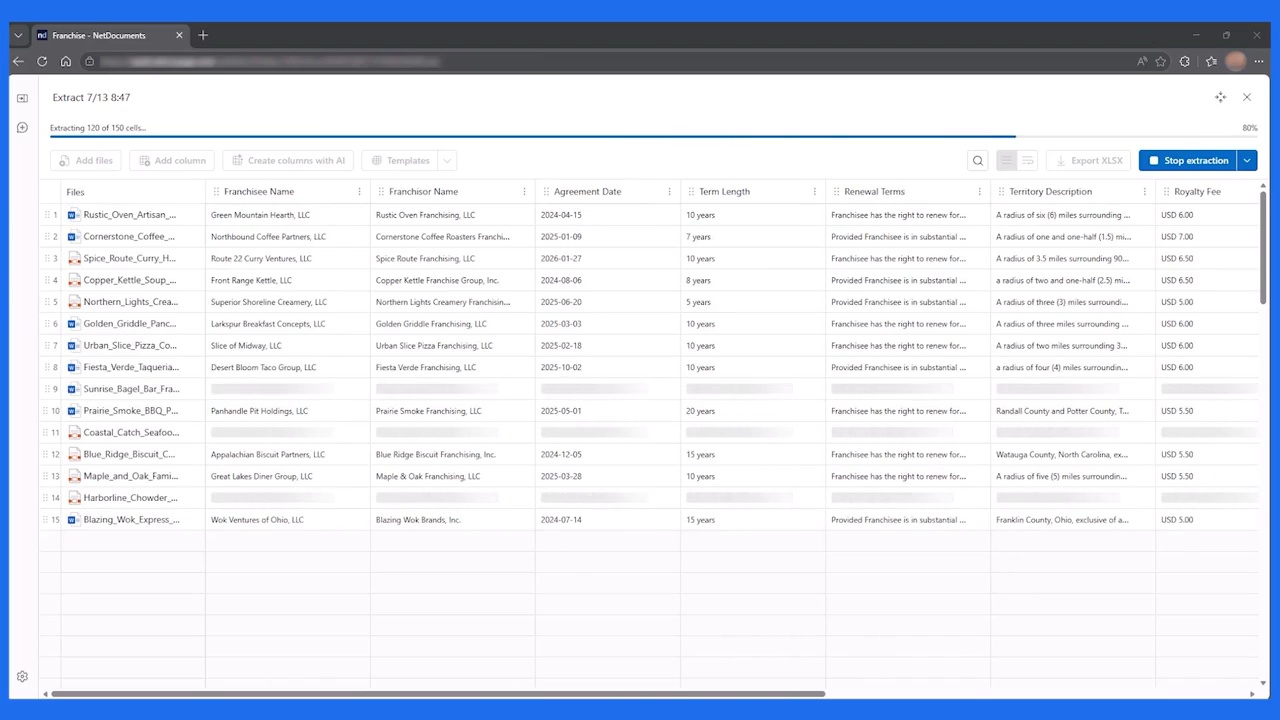
Select a set of documents, describe what you need, and instantly get a structured table of answers across the entire collection. Every result is cited and linked back to its source.

From plain language to verified results.

Describe what you need and let AI build the table
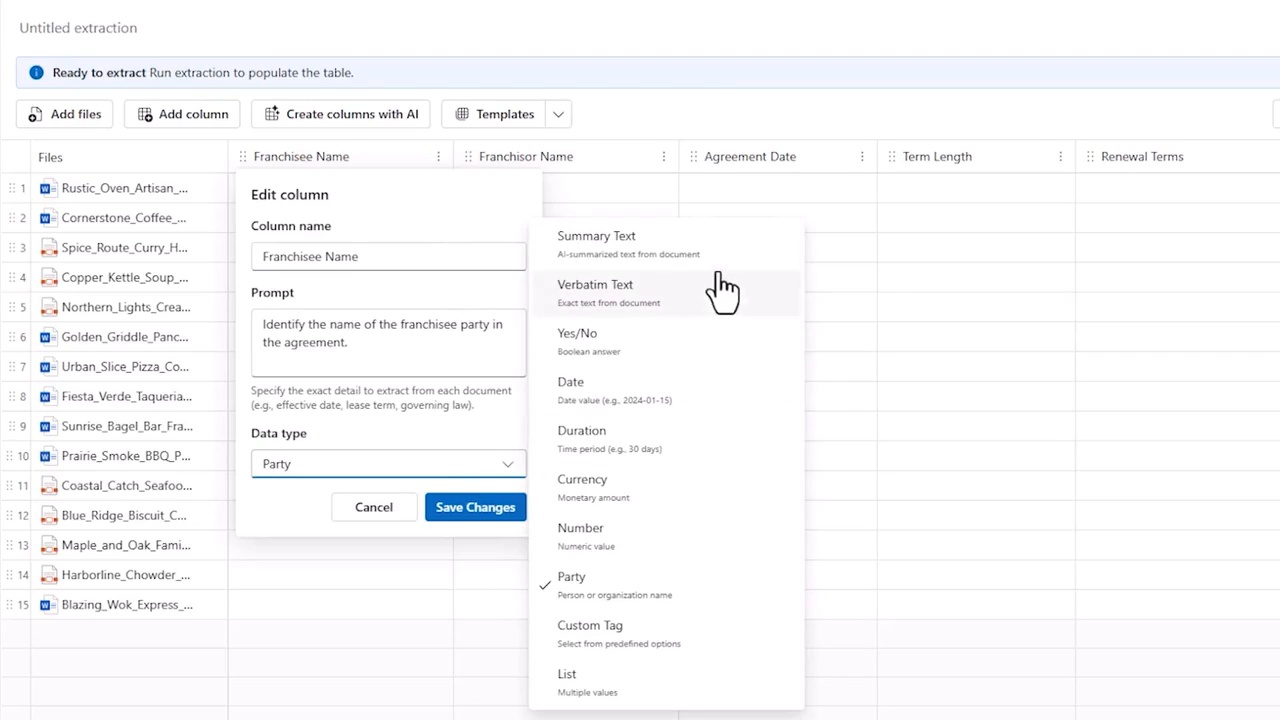
Skip the manual setup. Describe what you’re looking for in plain language, and NetDocuments tabular review automatically creates a structured table with the fields needed to extract and organize the information.

Verify every finding
Every result links back to the exact source passage, so you can quickly validate what AI found before using it in your work.

Work with structured results
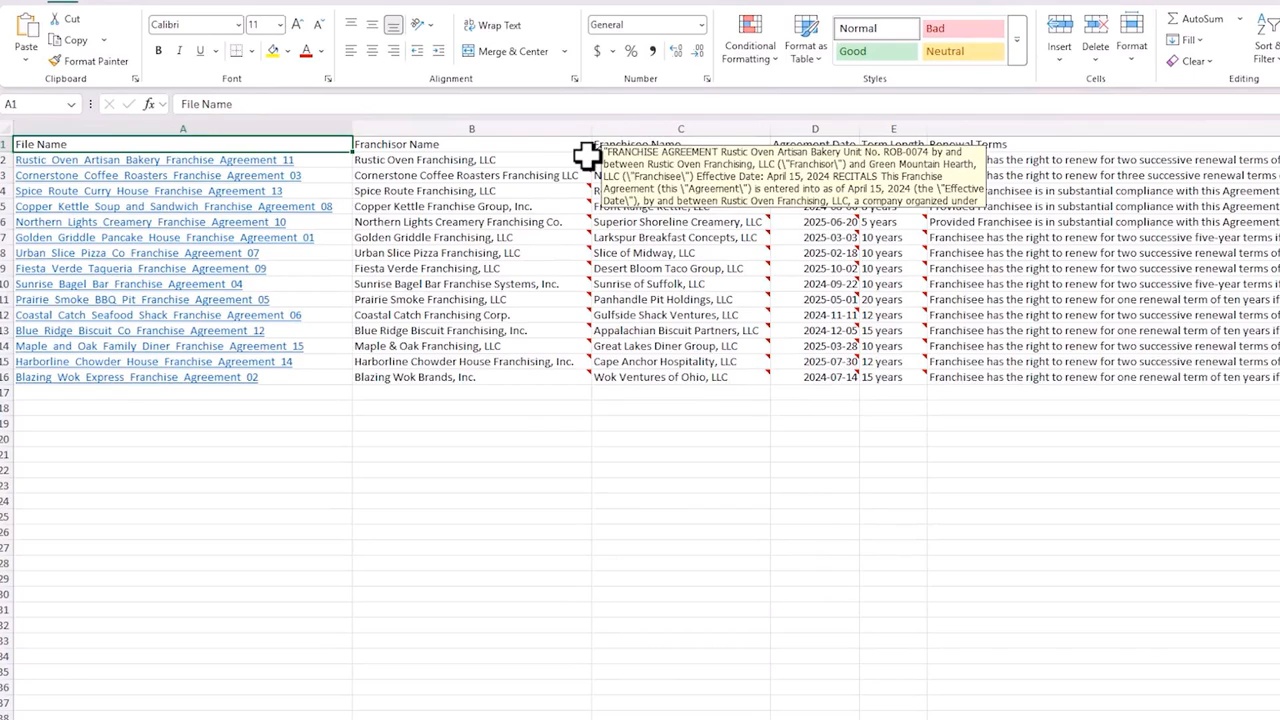
Sort, filter, and compare findings across thousands of documents in one place, then export to Excel when you’re ready to share or continue your analysis.
ANALYSIS AT SCALE
Review thousands of documents in a single pass
Across thousands of documents, the experience stays the same: one prompt, one review, structured results in a single table. What once required hours or days of manual review becomes minutes of AI-assisted analysis. Sort, filter, compare, and investigate findings as soon as results are available.
RESULTS WITH CITATIONS
Verify every finding
Every result links directly to the exact passage in the source document. Expand any finding to see the supporting context, jump to the original document, and validate the answer with confidence.
NATIVE TO YOUR DMS
Review documents where they already live
NetDocuments tabular review runs directly within NetDocuments, so your review starts where your work already lives. Documents remain governed by your organization’s existing security controls, including permissions, ethical walls, and data loss prevention policies. There is no need to move content into a separate review environment to analyze it.
How It Works
From question to structured results in three steps.
1
Choose your documents
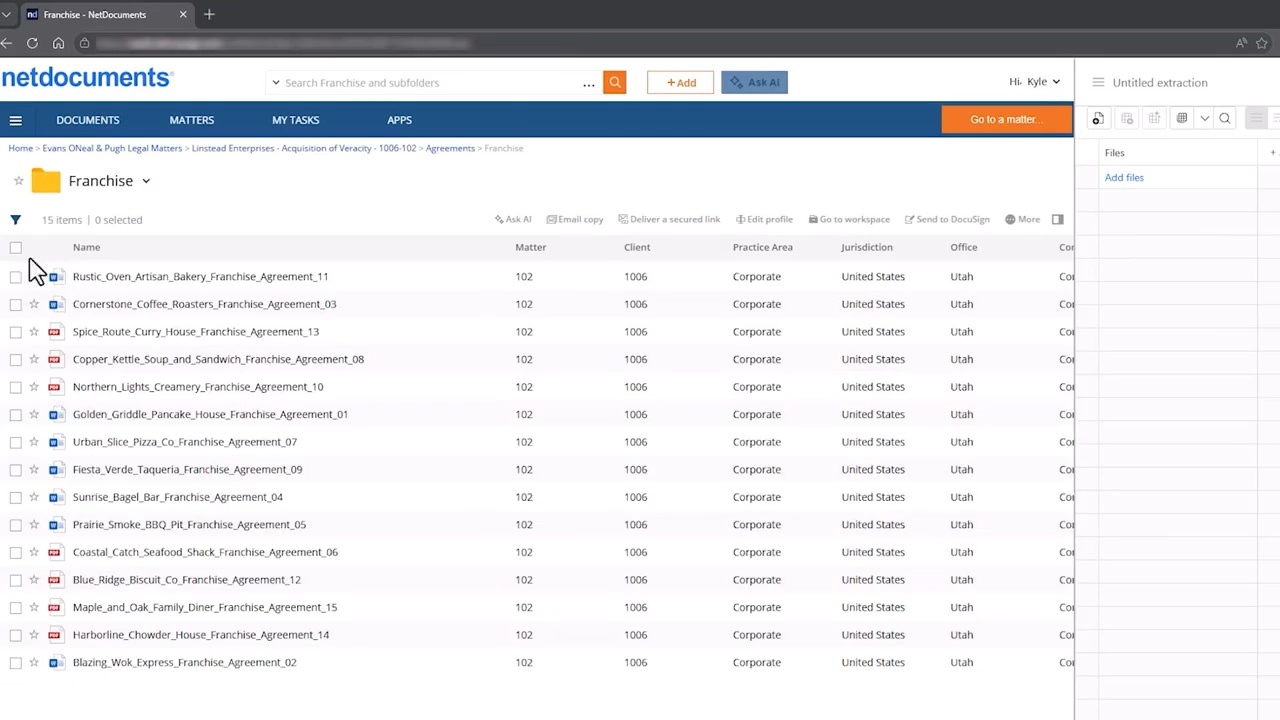
Select a folder or workspace in NetDocuments containing the documents you want to review – from a handful of files to thousands.
2
Describe what you are looking for
Use plain language to describe the information you want to extract. For example, “franchise territory,” “payment terms,” or “renewal notice period.” NetDocuments tabular review creates the table structure needed to organize the results.
3
Review your results
Run the review and receive a structured table of results, with every finding linked back to its original source. Sort, filter, compare, or export to Excel to continue your analysis.
Use Cases
Structured review for legal work at scale
Due Diligence
Review transaction documents across entire data rooms for M&A, private equity, and finance matters. Extract key terms, compare provisions, and quickly identify potential risks across hundreds of agreements.
Litigation Document Review
Analyze filings, depositions, and correspondence in a single review. Extract key facts and structured information to help legal teams prepare cases more efficiently.
Lease & Real Estate Abstraction
Review lease portfolios at scale. Extract rent schedules, renewal options, termination provisions, key dates, and other critical terms into a structured table ready for analysis and reporting.

Contract Portfolio Audits
Review contract portfolios at scale to identify renewal dates, compliance obligations, indemnification language, governing law provisions, and other key terms across the organization.
M&A & Transaction Support
Keep more due diligence work in-house. Extract deal terms, obligations, and potential risks across target-company documents in a single review.
Vendor & Procurement Review
Compare payment terms, liability caps, termination rights, and other key provisions across vendor and supplier agreements to identify inconsistencies and support negotiations.

Public Records & FOIA Response
Review large collections of records to quickly locate requested facts, dates, names, and other information, with every finding linked back to its source.
Regulatory & Grant Compliance Review
Review contracts, grant files, and program documentation to confirm compliance, identify obligations, and prepare for audits or oversight reviews.
Case & Investigative File Review
Analyze large investigative files in a structured table, making it easier to organize facts, compare findings, and accelerate case review.

Procurement & Supplier Management
Review contracts, grant files, and program documentation to confirm compliance, identify obligations, and prepare for audits or oversight reviews.
HR & Employee Agreement Audits
Review offer letters, employment agreements, and policy acknowledgments to identify inconsistencies, confirm compliance, and flag exceptions.
Finance & Internal Audit
Extract key financial terms and figures from invoices, agreements, and statements to support audit preparation, reconciliation, and financial reporting.

FAQs
What is NetDocuments tabular review?
NetDocuments tabular review is an AI-powered capability inside NetDocuments that turns a large set of documents into one structured table of answers. Select the documents, describe what you’re looking for in plain language, and tabular review builds the columns, extracts the answers, and cites every result back to its source – all without leaving your NetDocuments workspace.
How is this different from a standalone AI review tool?
Standalone tools ask you to move your documents to them. NetDocuments tabular review works inside NetDocuments, so your files never leave your governed environment. Your existing permissions apply automatically, and there is no separate platform to procure, configure, or maintain.
Is the data secure during extraction?
Yes. Every review session operates under the same governance controls that apply across your NetDocuments environment, including data loss prevention rules, ethical walls, and access permissions. Your documents never leave your governed workspace, and your content is never used to train or improve AI models.
What types of documents can I review?
NetDocuments tabular review works with any documents stored in NetDocuments – contracts, leases, pleadings, corporate filings, invoices, permits, correspondence, HR records, and more. If your team stores it in NetDocuments, you can build a review table from it.
How do I verify the AI’s answers?
Every cell in the extraction grid includes a citation linking back to the source text in the original document. You can expand any cell to see the passage the AI used for its answer and navigate directly to the document.
Do I need to be a legal team to use NetDocuments tabular review?
No. While many of the earliest use cases come from law firms and legal departments, NetDocuments tabular review works on any large set of documents. Procurement, finance, HR, and government teams use it the same way – to turn a stack of files into one structured, cited answer.
Does someone need to build the extraction columns for me?
No. Describe what you’re looking for in plain language and NetDocuments tabular review designs the columns and extraction logic automatically. Review and adjust before running the extraction, or start from a saved template for a use case you repeat often.
Ready to meet?
Review thousands of documents without leaving NetDocuments.
Accelerate document review with structured, source-linked results, all within the governance and security your organization already trusts.
Resources
Level up with these resources
-

- Webinar
Context Matters: What It Takes to Turn Legal AI Spend Into Impact
Is your firm’s foundation helping AI deliver – or holding it…
-

- eBook/Whitepaper
The Context Advantage for Firms Using a Practice Management System (International Edition)
Your practice management system knows what happened. It doesn’t govern what…
-

- eBook/Whitepaper
The Context Advantage for Firms Using a Practice Management System (US Edition)
Your practice management system knows what happened. It doesn’t govern what…
-

- Quiz
The Context Gap Diagnostic
AI is only as good as the context it can access.…